
newCodeEdit Lite · Code editor for macOS & Linux
A clean code editor that opens as many windows as you need.
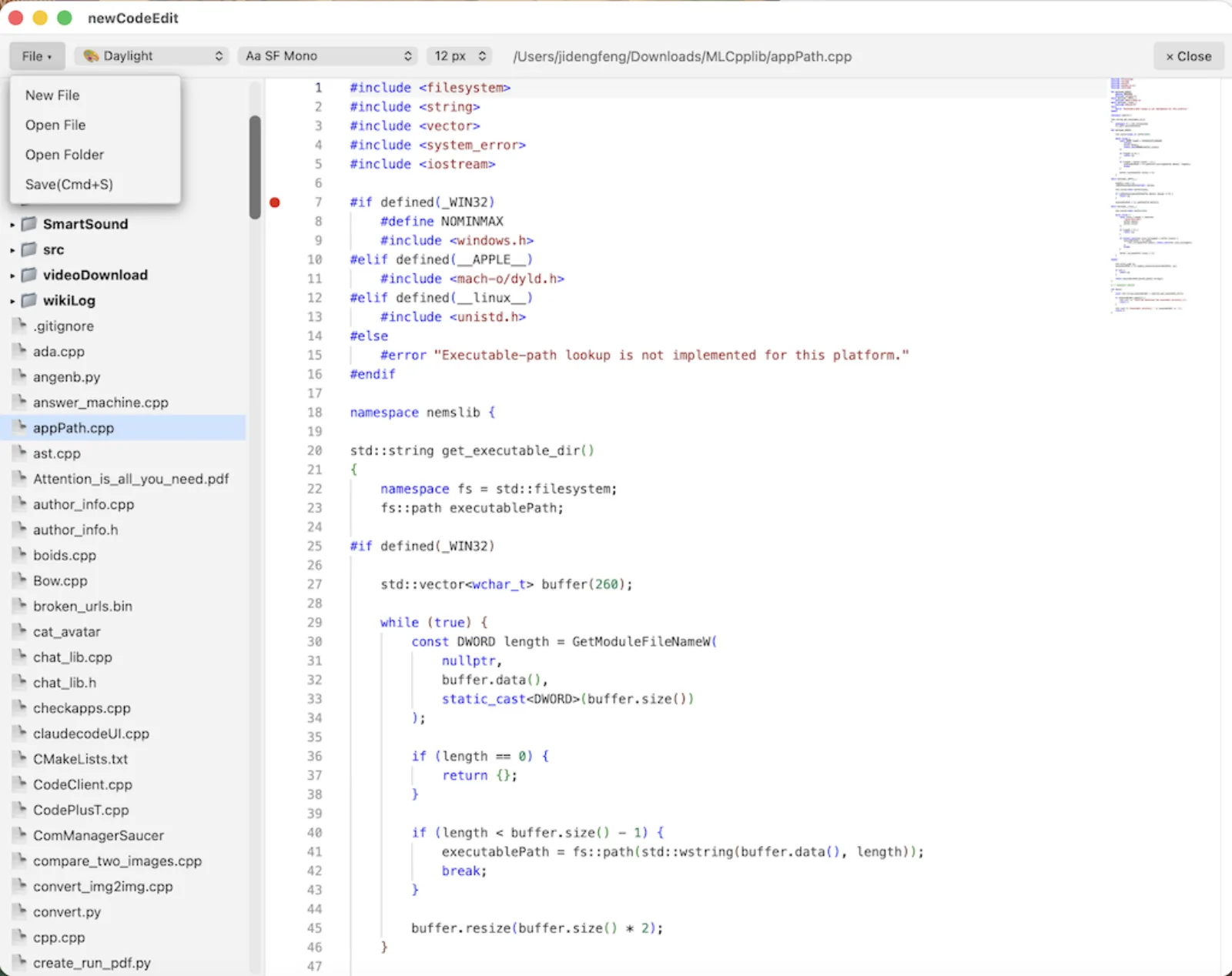
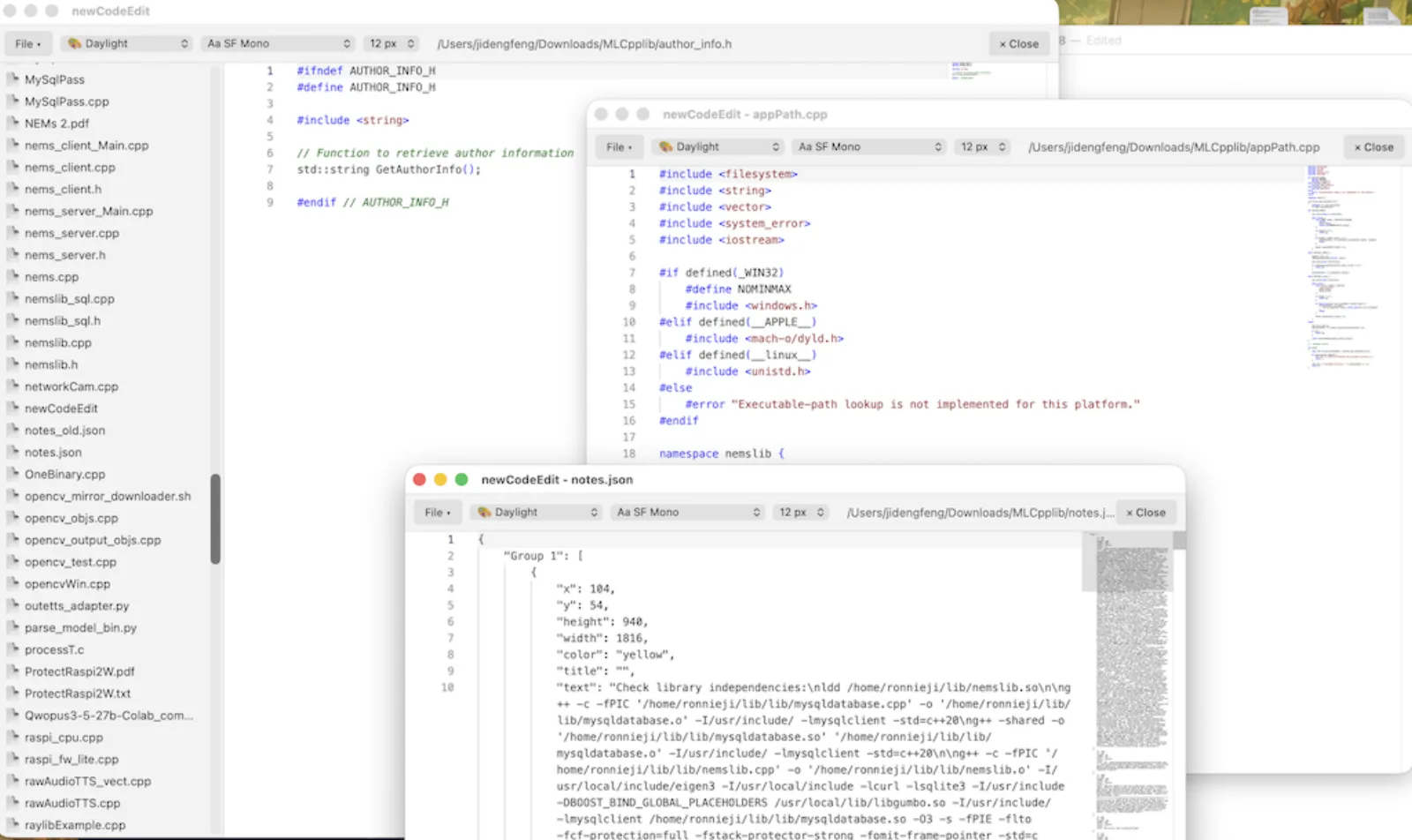
newCodeEdit Lite gives you the editing engine behind modern IDEs in a simple, uncluttered window. Open a folder, click a file, start typing. When you need two files side by side, pop one out into its own window with a right-click.
- Very easy to use. A folder tree on the left, your code on the right, and a File menu that does what it says.
- Multiple windows. Right-click any file, choose Open Code in New Window, and work on several files at once.
- Save and close in one click. In a pop-out window, Close saves your code and closes the window.
- Make it yours. Pick from eight themes, nine fonts and sizes from 10 to 28 px. Your choice is remembered next time you launch.
Start in seconds
No project setup or plugins to configure. Open a file or a whole folder and you are editing.
See more at once
Give each file its own window, then arrange them across your screens.
Trust your saves
Files are written to a temporary copy and swapped in only when complete, so a crash mid-save cannot corrupt your code.
Professional editing engine
Built on the Monaco editor that powers VS Code: syntax highlighting for many languages picked automatically from the file extension, plus word wrap, line numbers and click-to-mark breakpoints in the gutter.
Open With support
Choose newCodeEdit Lite from your file manager's Open With menu. Each file you open appears in its own window.
Never lose track of changes
A marker in the status bar shows unsaved changes. Save with Cmd+S or Ctrl+S.
Careful with your files
It keeps file permissions and follows symbolic links when saving. It also converts older Latin-1 files to UTF-8 so text displays correctly, and refuses binary files rather than showing garbage.
Eight themes
Dark+, Daylight, Dracula, Monokai Pro, Nord Frost, Solarized Dark, Tokyo Night and Cyberpunk Neon. Themes restyle the whole window, not only the editor.
Fonts that work everywhere
Choose Menlo, Monaco, SF Mono, Consolas, DejaVu Sans Mono, Liberation Mono, Courier New and more. Each has fallbacks so your code looks right on macOS and Linux.
Frequently asked questions
What is newCodeEdit Lite?
newCodeEdit Lite is a lightweight code editor for macOS and Linux. Open a folder, browse files in a tree, edit with syntax highlighting, and pop any file out into its own window.
How do I use multiple windows in newCodeEdit Lite?
Right-click a file in the folder tree, or right-click inside the editor, and choose Open Code in New Window. Each window is independent. Its Close button saves your code and closes the window.
Can I change the theme and font?
Yes. Dropdowns next to the File menu let you pick a theme, a font and a font size. Your choices are saved and applied the next time you start the app.
Does newCodeEdit Lite need an internet connection?
The editor engine is loaded when a window opens, so you need an internet connection at launch.
More from SFX Pop
Other tools built the same way.
Blueberry · AI note-taking for macOS
Blueberry
Blueberry turns what you say and write into a personal AI assistant.
LandVault Nexus · AI assistant for landlords
LandVault Nexus
LandVault Nexus runs your rental portfolio from a single chat.
Ready to try newCodeEdit Lite?
newCodeEdit Lite is a fast, multi-window code editor for macOS and Linux.